

Cards
The card list
Section titled “The card list”Clients & cartes → Cartes. The bank’s cards, with their product, organisation, form (physical or virtual), status and expiry.
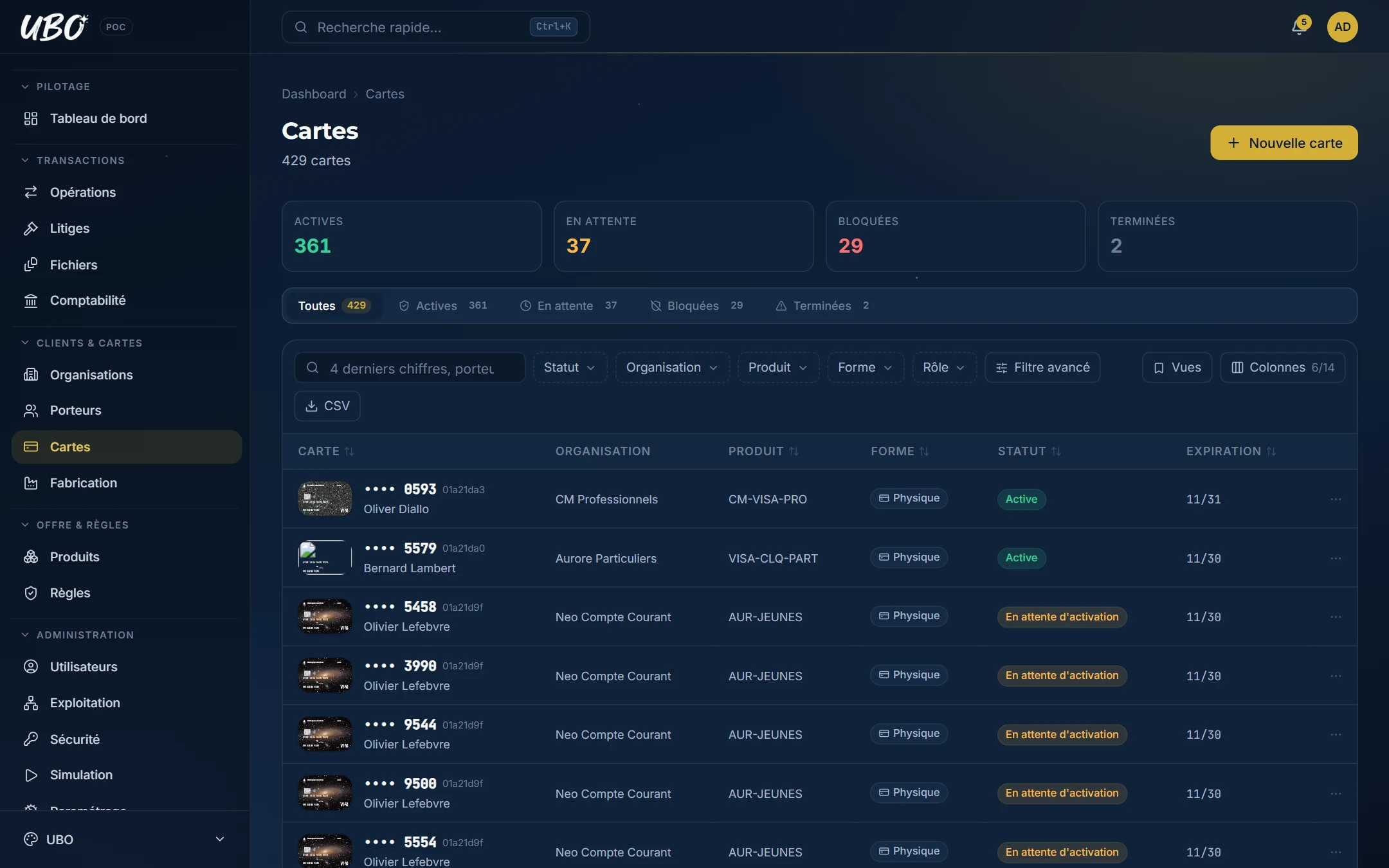
The counters at the top (active, pending, blocked, terminated) filter the list on a click. The search finds a card by its last four digits, its cardholder or its identifier. The full number never appears in the lists.
Creating a card
Section titled “Creating a card”- Nouvelle carte (new card), then choose the cardholder (or create them), the organisation and the product.
- Choose the form: virtual (no manufacturing: activated as soon as created) or physical (a manufacturing order goes to the personaliser; activated on receipt).
- Choose the design among the product’s, and the account to debit.
- Confirm: the card is created, its number generated in the product’s range and sealed in the vault.
- Envoyer en activation (send to activation), then Activer: the card accepts payments.
The card page
Section titled “The card page”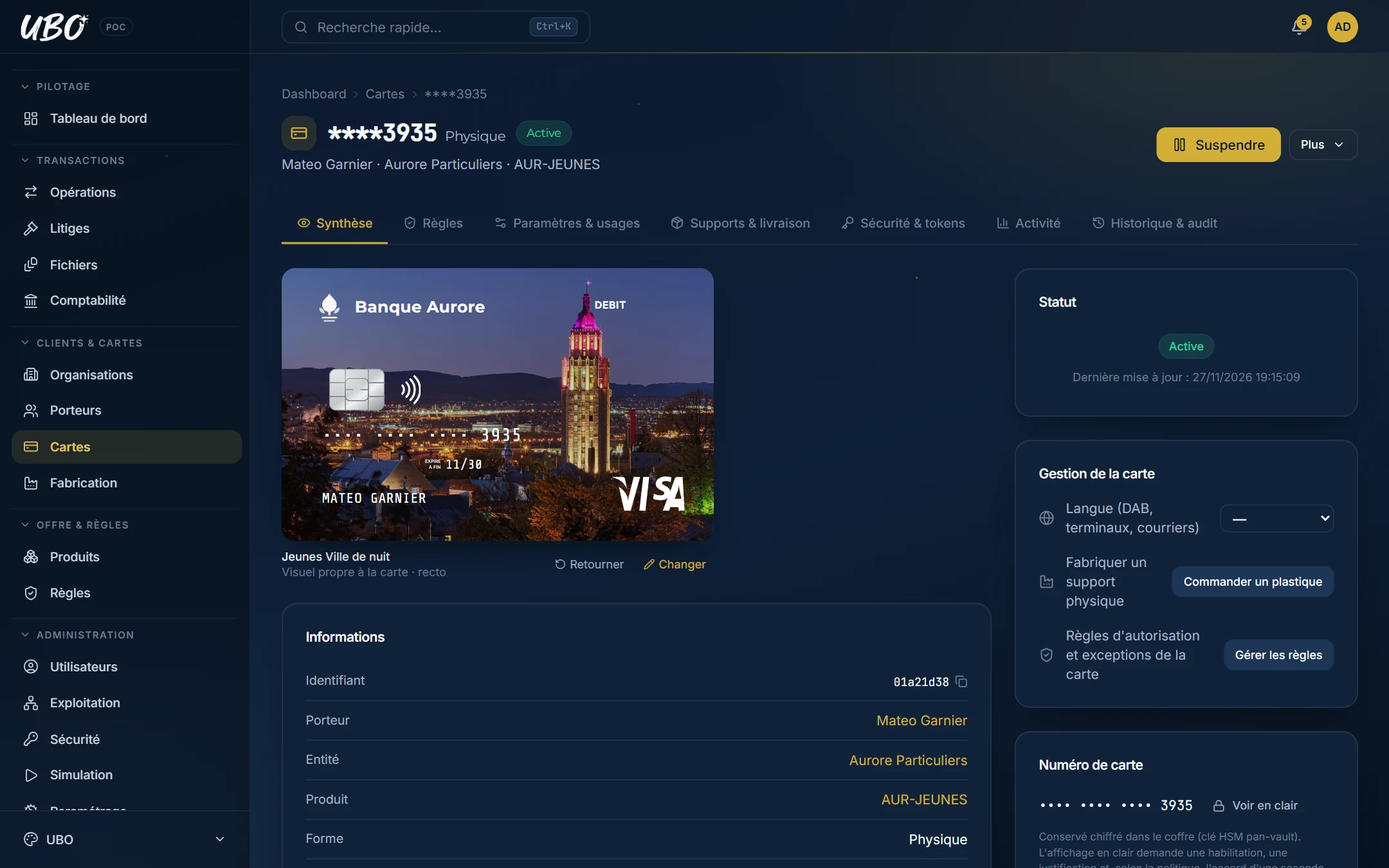
| Tab | Content |
|---|---|
| Synthèse (summary) | Design, status, cardholder, organisation, product, form; language, plastic order, card-specific rules; number (in clear on request) |
| Règles | Rules applying to the card; inclusions and exclusions specific to this card |
| Paramètres & usages | Limits, services (in-store payment, e-commerce, withdrawal, contactless, abroad), restrictions |
| Supports & livraison | Plastics made, batches, delivery tracking |
| Sécurité & tokens | PIN, attempt counter, tokens (wallets) |
| Activité | The card’s authorizations, volume, approval rate |
| Historique & audit | Each change of status and setting, with its author |
Changing the status
Section titled “Changing the status”The main button offers the most likely action (Activer, Suspendre, Réactiver); Plus (more) offers the others: block, declare lost or stolen, cancel, request renewal, replace.
| Status | Authorizations | Way back |
|---|---|---|
| Active | Approved (per rules and limits) | — |
| Suspended | Declined | Yes: reactivation (temporary hold, by the cardholder) |
| Blocked | Declined | Yes: by the bank |
| Lost, stolen | Declined | No: the card is replaced |
| Cancelled | Declined | No |
| Expired | Declined | Renewal, then replacement |
Seeing the number in clear
Section titled “Seeing the number in clear”The full number is encrypted. Voir en clair (see in clear) opens a request: justification, then, per the bank’s policy, another person’s approval. Access lasts a few minutes and each display is logged. See Security.
How it works
Section titled “How it works”How it works in detail, beyond the screens: