

Security
Administration → Sécurité → HSM. The keys of the platform and of the networks, their versions, their check values (KCV), their use and the operations of the last hour.
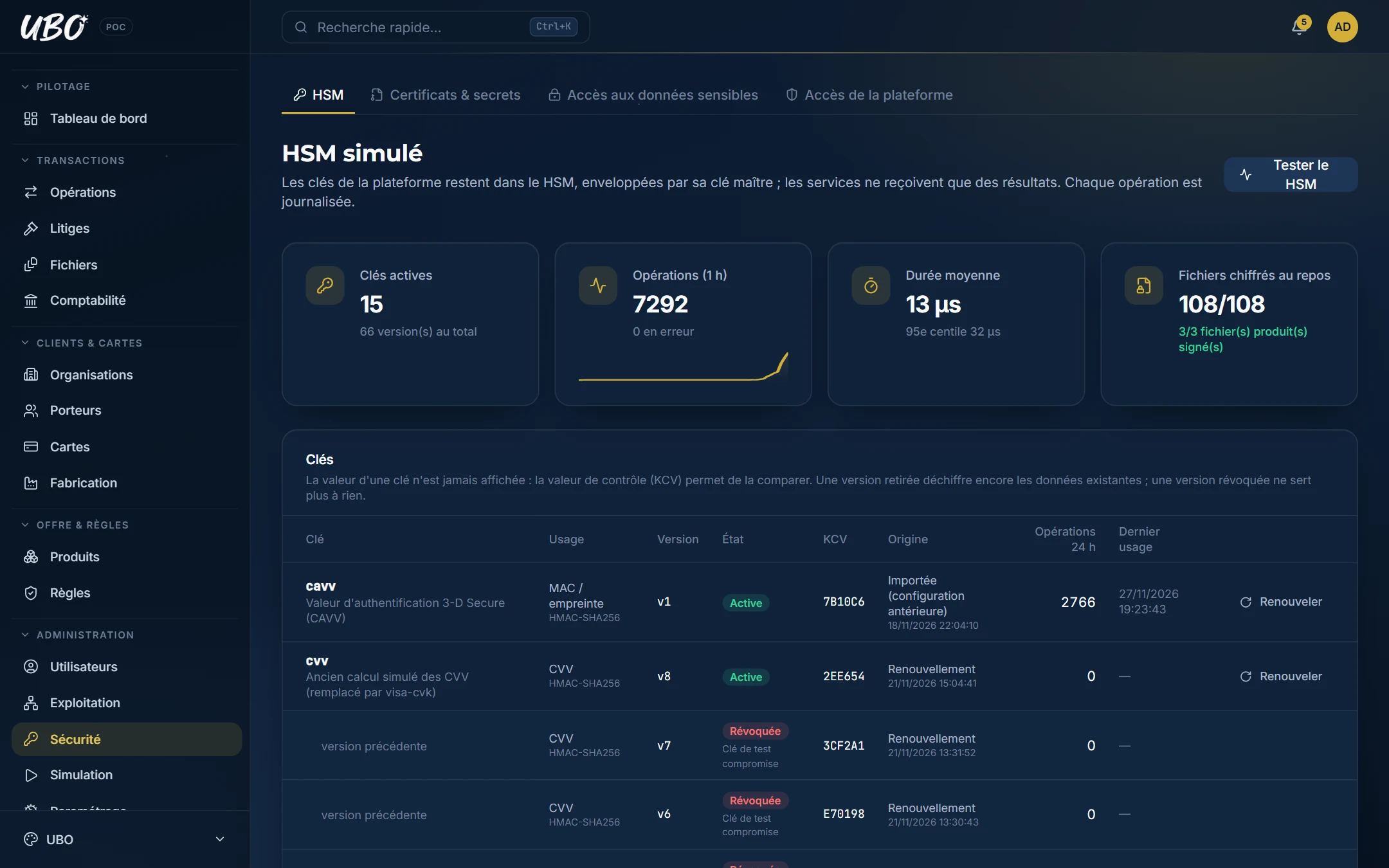
- Rotate a key (
security:admin): a new version becomes active; the old one no longer encrypts but still decrypts the existing data. - Revoke a retired version (compromised key): it no longer serves at all. The active version cannot be revoked: rotate first.
- Test the HSM: round-trip encryption, signature, file key, CVV, PIN.
- Encrypt the earlier files still in clear.
Certificates and secrets
Section titled “Certificates and secrets”Administration → Sécurité → Certificats & secrets. The inventory of everything that expires or rotates: certificates, partners’ SSH keys, API keys, vault secrets, tokens.
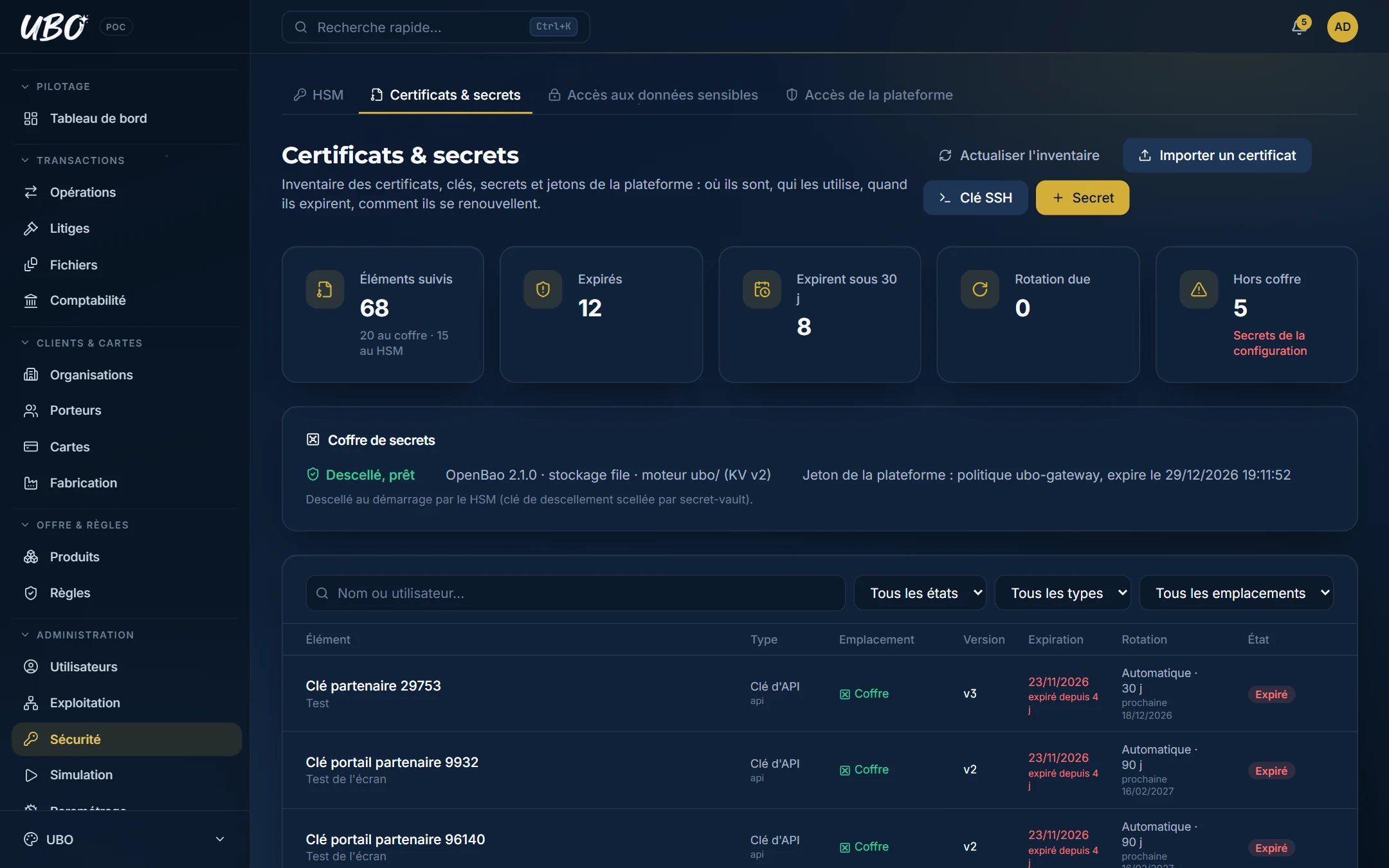
- For each element: type, location (vault, HSM, configuration), version, expiry, rotation policy (automatic, assisted, none), last rotation.
- Alerts at 30 days, 7 days and on the day, in the portal’s bell and as an event.
- Automatic rotation every night for the elements that allow it, or by hand.
- A secret’s value is never shown in the inventory: only its fingerprint.
Access to sensitive data
Section titled “Access to sensitive data”Administration → Sécurité → Accès aux données sensibles. The policies and the requests for access in clear.
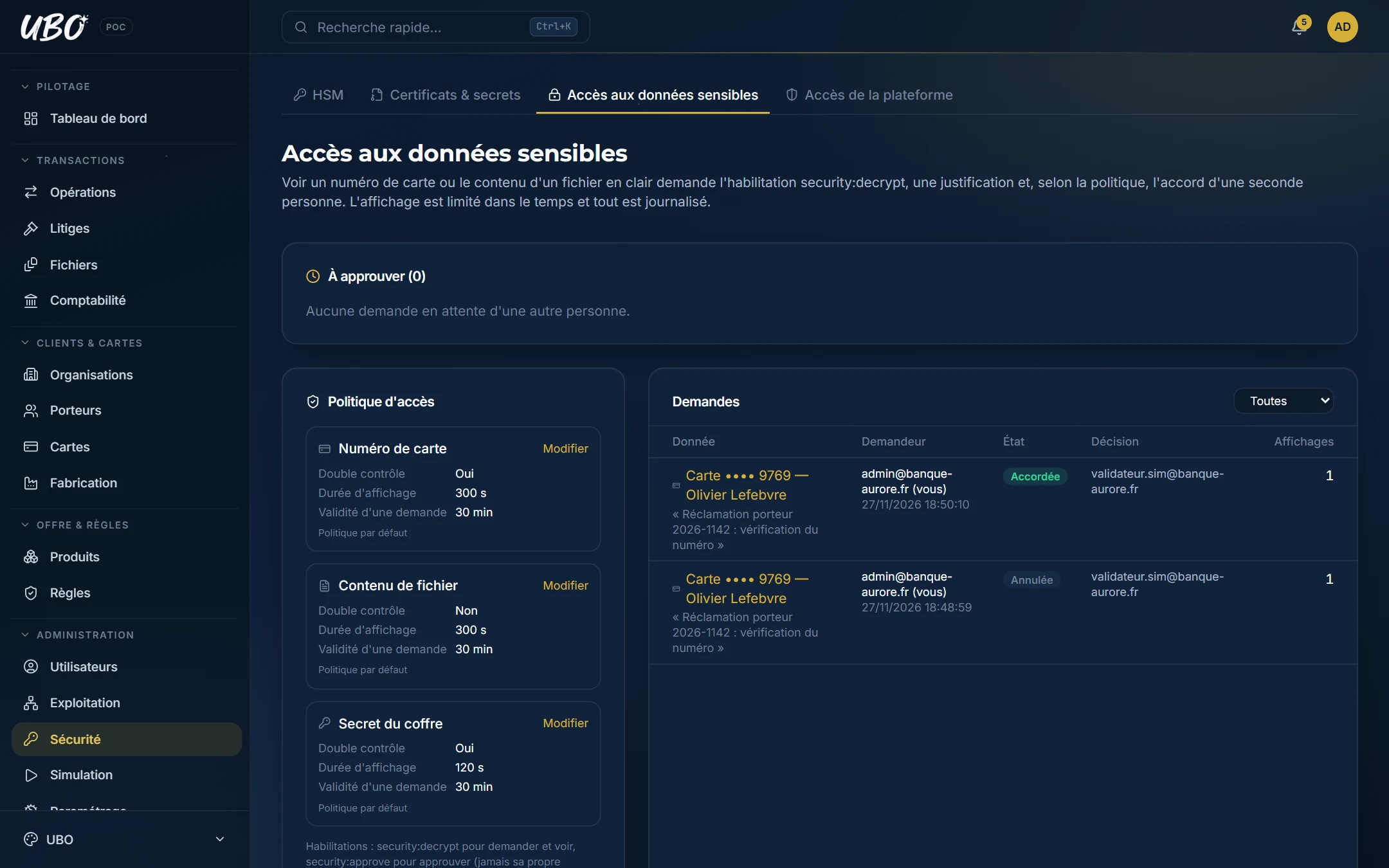
| Data | Four eyes | Display in clear | Request validity |
|---|---|---|---|
| Card number | Yes | 300 seconds | 30 minutes |
| File content | No | 300 seconds | 30 minutes |
| Vault secret | Yes | 120 seconds | 30 minutes |
Default policies, adjustable by the bank (Modifier button of each policy).
- On a card or a file, Voir en clair (see in clear).
- Enter the justification (reason, ticket or case reference).
- If the policy requires it, the request waits for the approval of another authorized person; they see it in the bell and on this screen.
- Once approved, the data shows for the planned time. Each display is logged.