

Limits
A limit caps an amount or a number of operations over a period. It is checked at step P5 (reservation) of each authorization: beyond it, the operation is declined with code 61 (amount) or 65 (count).
Three levels
Section titled “Three levels”| Level | Where to set it | Example |
|---|---|---|
| Product | Product page | All Classic cards: €2,500 of payments over 7 days |
| Card | Card page, Paramètres & usages | This customer: €4,000 (temporary increase) |
| Shared | Règles → Plafonds → Plafonds partagés | All the cards of company X: €20,000 per month |
An operation must pass all the limits that concern it: those of its card (or, failing that, of its product) and each shared limit the card belongs to.
Limit types
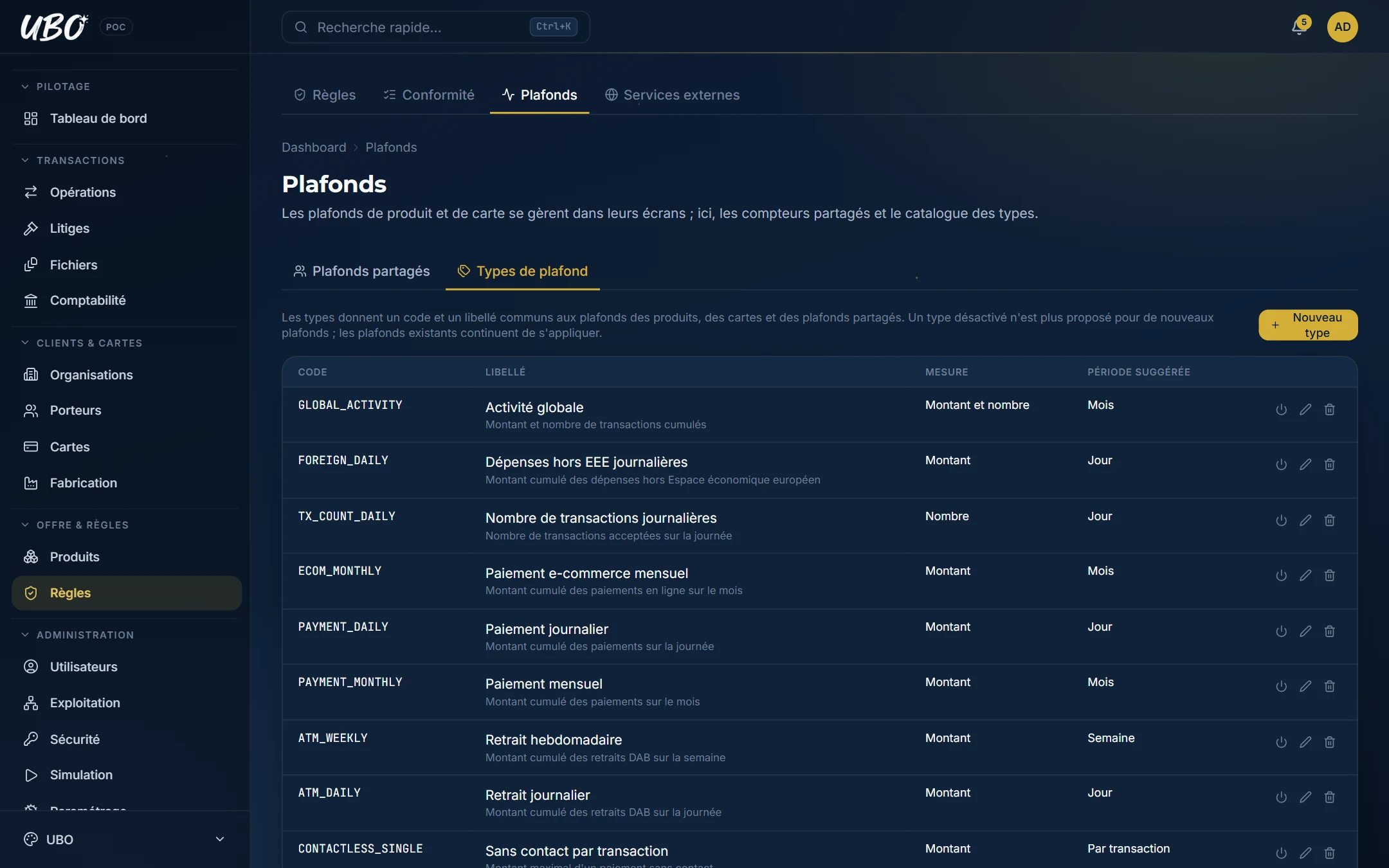
Section titled “Limit types”Offre & règles → Règles → Plafonds → Types de plafond. The catalogue of types: a code, a label, a measure (amount, count, or both) and a suggested period (per transaction, day, week, month). Products, cards and shared limits choose from this catalogue.
Shared limits
Section titled “Shared limits”A shared limit caps together several cards:
- all the cards of a cardholder (their physical and virtual cards);
- all the cards of an account (a joint account, a family);
- all the cards of an organisation (a business customer, a department).
Create it with Nouveau plafond partagé: the type, the holder (cardholder, account or organisation), the amount and the period. Its consumption is followed in real time on the screen.
How it works
Section titled “How it works”How it works in detail, beyond the screens: