

Files and transfers
Transactions → Fichiers. All the files received and produced by the bank: the networks’ clearing, the blocks sent by the bank, the daily authorization journal, the accounting report, the manufacturing orders.
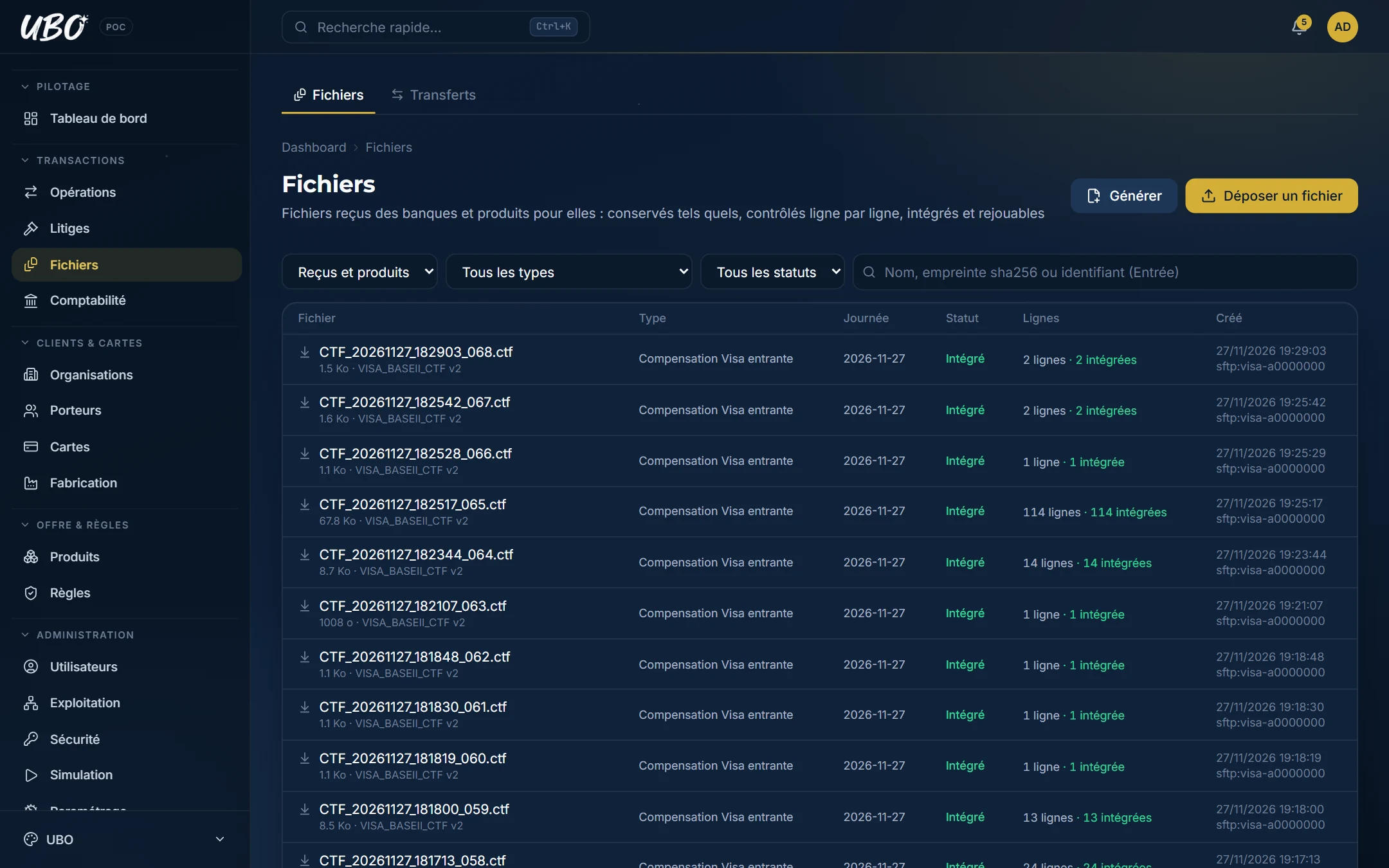
A file is immutable: it is never rewritten. A regeneration creates a new file replacing the old one; a rejected file is sent again as a new file. The same content is received once only.
A file’s lifecycle
Section titled “A file’s lifecycle”| Direction | Statuses |
|---|---|
| Received | received → validated or rejected → integration → integrated, partially integrated or failed (replayable) |
| Produced | generation → generated → sent → acknowledged or refused |
A file’s detail
Section titled “A file’s detail”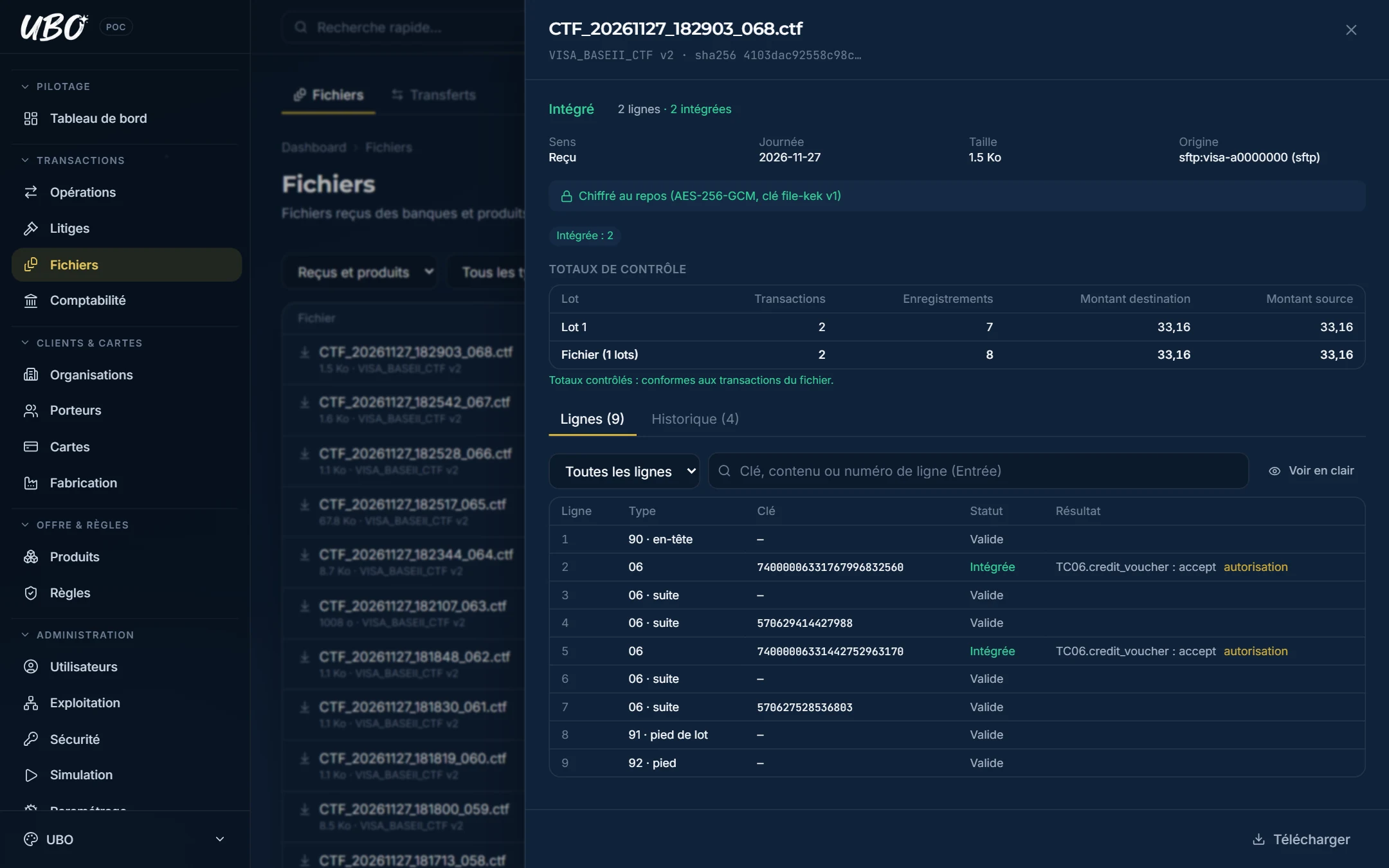
- The control totals (number of transactions, amounts) compared with those announced by the file.
- The lines, one by one, with their status (integrated, refused, orphan), their anomaly and the operation touched; sensitive data masked.
- The history of the statuses; the replay of the failed lines (those already integrated are not replayed).
- Downloading and seeing the lines in clear need a permission and go through the controlled access to sensitive data.
Clearing
Section titled “Clearing”Each day, the network drops the clearing file (BASE II for Visa): the merchants’ presentments, withdrawals, refunds and reversals. UBO:
- receives it on its SFTP server, decrypts it (PGP) and decodes it (EBCDIC);
- refuses a duplicate file (same content, or same identifier and settlement date);
- checks the totals of each batch and of the file: a wrong total rejects the whole file;
- integrates each transaction and matches it with its authorization (by the transaction identifier, then by card, amount and date);
- keeps a presentment without a known authorization as an orphan, for analysis.
Transfers
Section titled “Transfers”Transactions → Fichiers → Transferts. File exchanges with the partners over SFTP: networks, personalisers, the bank’s systems.
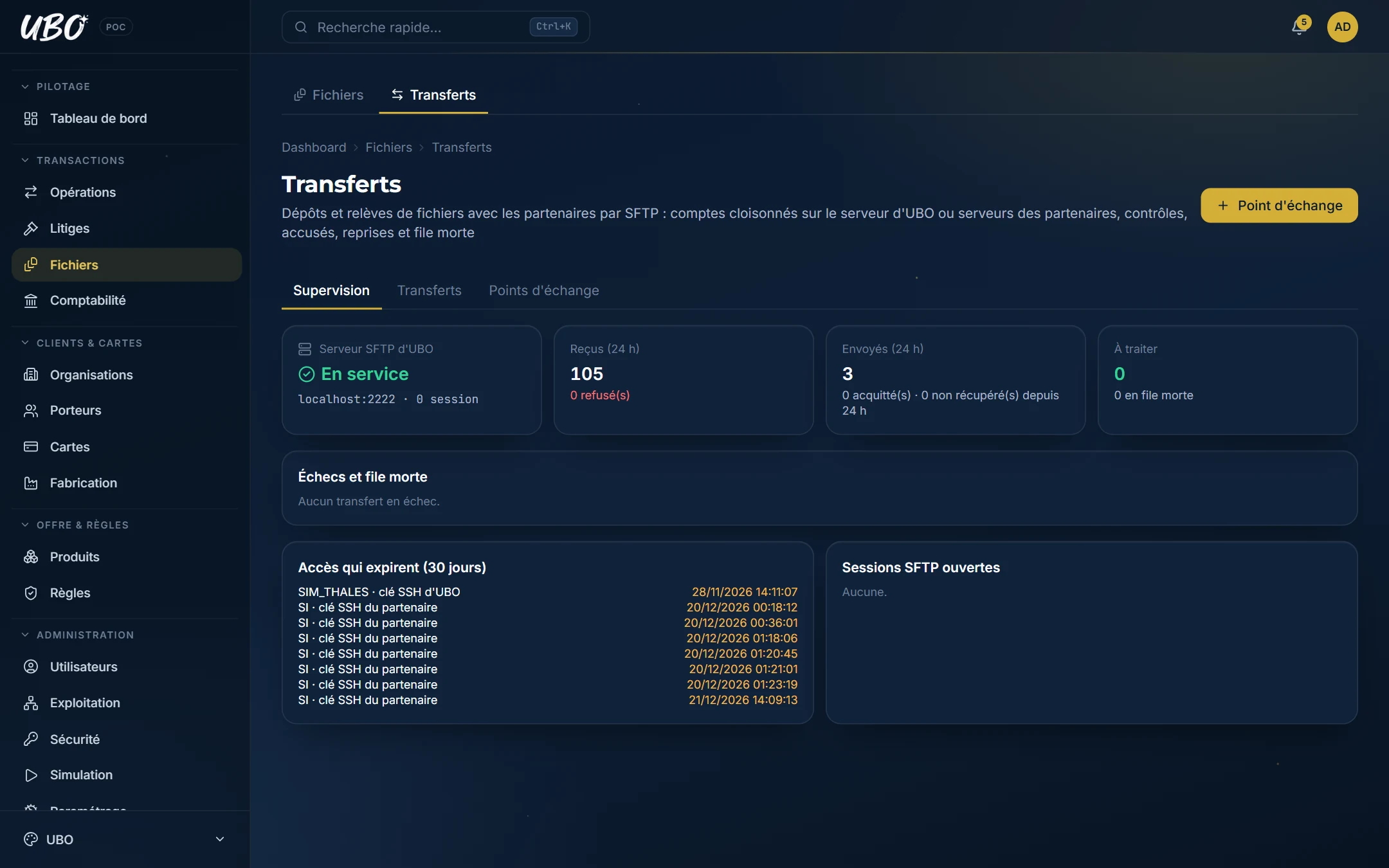
- Exchange points: a partner is either hosted (it connects to UBO’s SFTP server, in an isolated space
with the folders
in,out,ackanderror), or remote (UBO connects to its server, drops and collects at a chosen pace). - SSH keys: each partner has its keys, with their expiry, followed in the secrets inventory.
- Acknowledgements: each file received gets an acknowledgement (accepted or refused, with the reason).
- Monitoring: server state, files received and sent, failures, dead letters (files that could not be processed) and recovery.
- Point d’échange (exchange point): choose the partner, the mode (hosted or remote) and the file types exchanged.
- Add its public SSH key (hosted) or its server’s address and credentials (remote).
- Files dropped into
in/are picked up automatically; files produced for it go toout/or to its server.
How it works
Section titled “How it works”How it works in detail, beyond the screens: